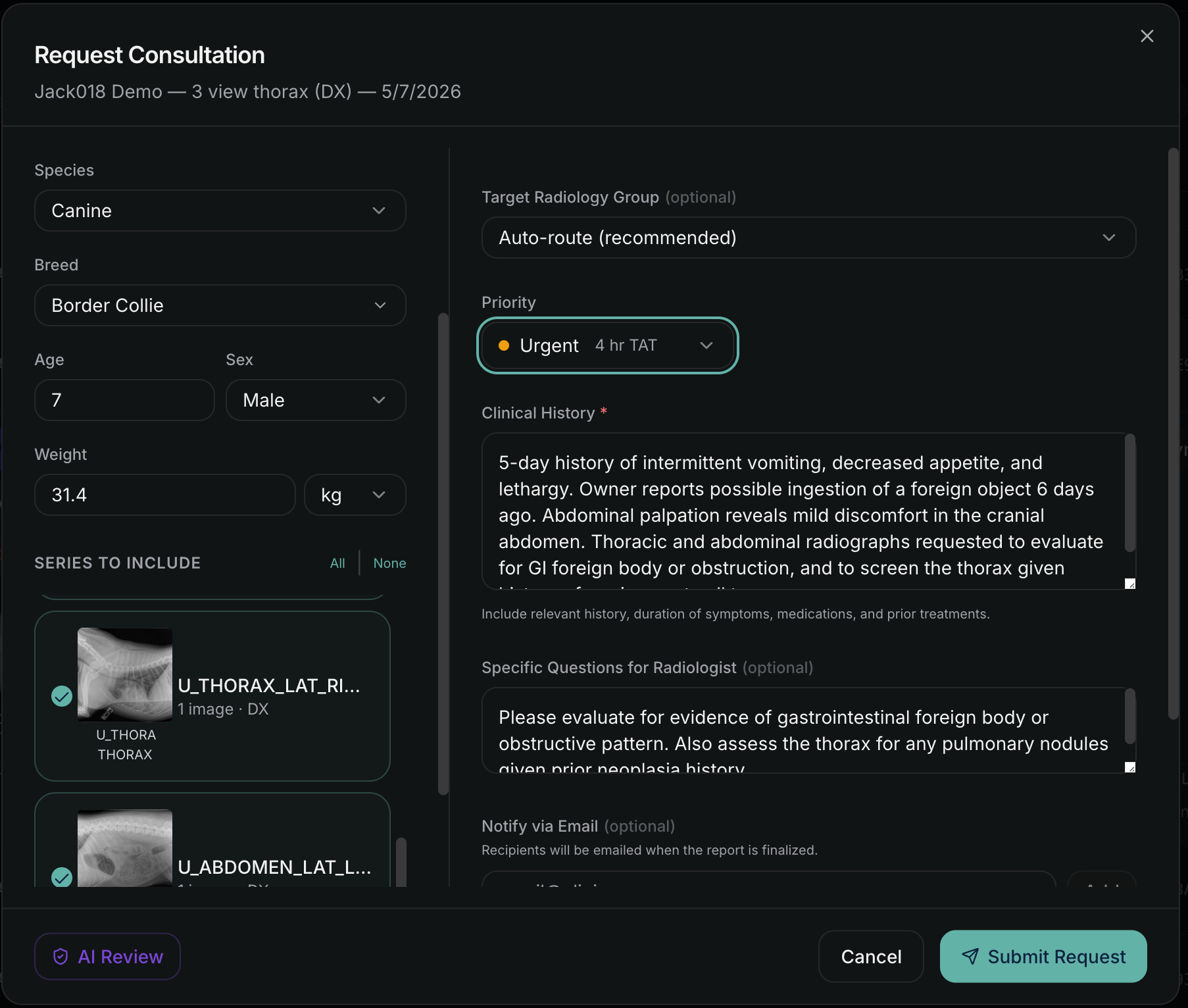
Route every case to the right reader.

Static assignment, algorithmic distribution, or manual control, all from one worklist across every connected clinic.

NewLumen request consultation form showing species, priority, and auto-route to radiology group

Built to route, not just consolidate

Most veterinary imaging software treats routing as an afterthought, a coordinator manually assigning studies as they come in. NewLumen routes cases automatically, by rules you set, across every connected clinic.

Two ways to route

Static assignment sends every case from a clinic, modality, or body area to a specific reader every time. Algorithmic mode distributes cases automatically by priority, modality, body area, time of day, and day of week, so cases land with the right reader without a coordinator manually assigning each one. Switch modes, or override any case manually, at any time.

Rules that match your practice

Routing rules can match on clinic, modality, body area, priority, time-of-day window, and day of week, evaluated in the order you set, first match wins. Send overnight equine radiographs to your equine specialist and daytime small-animal CT to whoever's on the general rotation, automatically.

A case is never stuck

If a directed reader is unavailable, the case doesn't wait for them, it moves to the next rule in line. Every case carries an SLA deadline based on its priority, and an unclaimed STAT case automatically escalates to a wider pool of readers. Admins can reassign any case, change its priority, or release it back to the group queue at any point.

Adding clinics

When you add a new clinic, they connect to your NewLumen account via DICOM from their existing imaging system. Their cases start appearing in your worklist immediately. No new login. No change to your reading workflow.

Frequently asked questions

See case routing in action.