Cornerstone3D in the browser
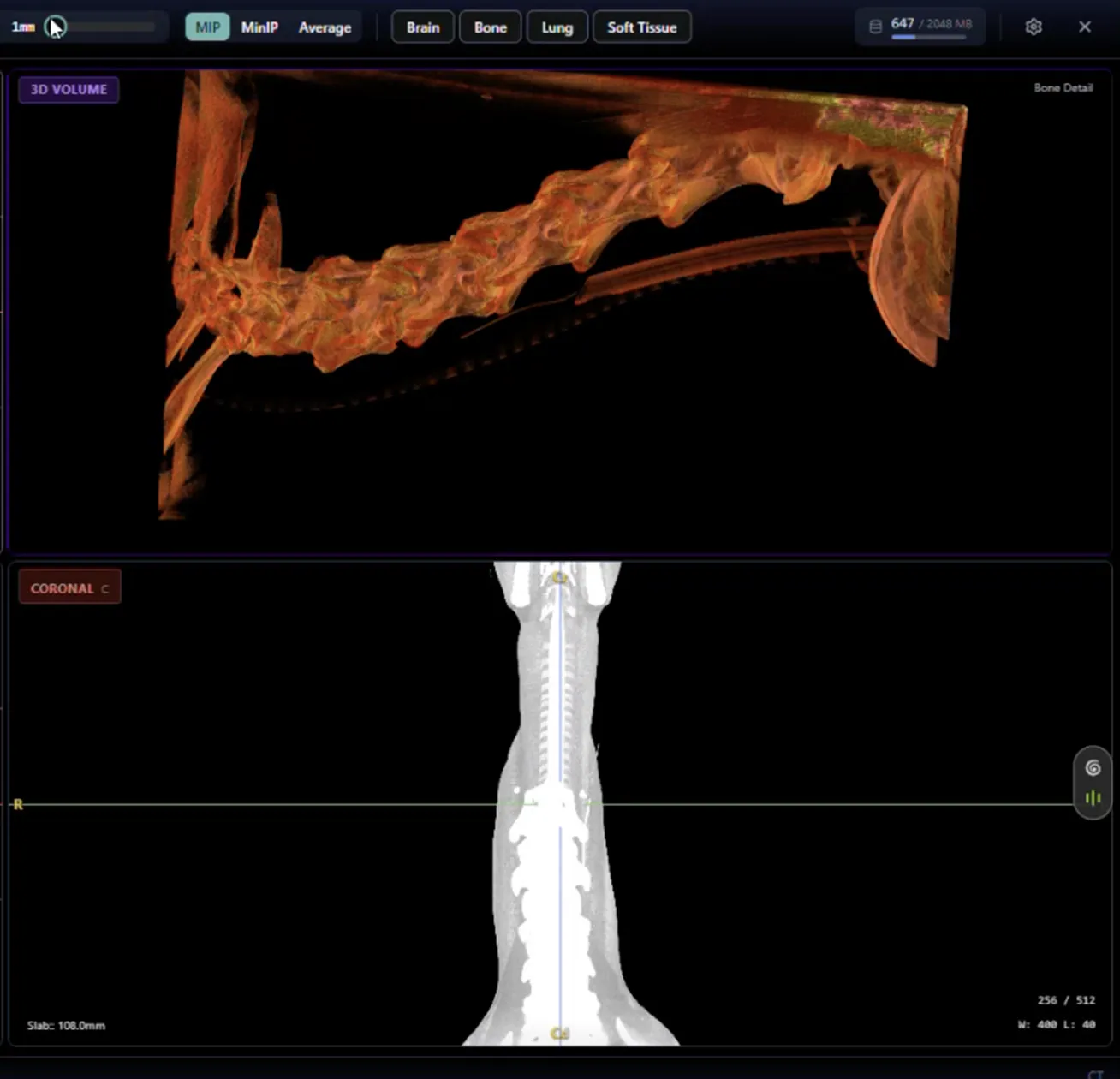
First-class MPR and 3D layout modes, multi-monitor via the Window Management API, echo cineloop, and species-specific hanging protocols, all running without desktop software.
Species-specific hanging protocols
Hanging protocols are species-tagged and apply automatically when a study opens, matched to the study's species and modality, even when vendor equipment populates DICOM tags inconsistently.
Loads in seconds
The viewer streams images from the cloud on demand. There is no local sync or pre-caching step. On internal benchmarks, NewLumen loads large multi-series studies up to 11x faster than a legacy desktop PACS. A 1,385-image canine CT thorax opens with hanging protocol applied in under five seconds.
Window and level controls
Mouse, keyboard shortcuts, or direct value entry. Built-in presets: Lung (width 1500, center −600) and Soft tissue (width 400, center 40). Custom presets are configurable in Settings.
MPR and 3D
MPR and 3D reconstruction are first-class layout modes, not add-ons. Switch from a standard viewport to MPR in a single click from the layout switcher. Axial, sagittal, and coronal reconstructions render in under three seconds. 3D volume rendering is available from the same layout switcher — rotate directly in the browser viewport. Slab thickness, rotation, and crosshair-driven navigation are all controlled directly in the MPR viewport.
Multi-monitor support
Multi-monitor mode runs via the Window Management API in Chrome and Edge. Extend the viewer across two monitors with independent viewports on each display, no workstation software or special hardware configuration required.
Synchronized viewports
Window/level, zoom, and pan can each be synchronized across all open viewports. Adjust the window on one series and every linked canvas follows, essential for comparing matched series side by side. Reference lines and synchronized stack scrolling complete the linked-viewport toolset.
Measurement and annotation
Length, angle, ellipse, rectangle, freehand ROI, Hounsfield probe, and arrow tools are all available in the toolbar. A precision mode adds a magnifier for exact caliper placement on fine measurements. Annotations can be labeled and persist with the study.
Cine and echo cineloop
Cine playback for CT and MR series. Echo cineloop mode supports continuous loop playback for ultrasound studies.
Species-specific hanging protocols
Hanging protocols are species-tagged and apply automatically when a study opens, matched to the study's species and modality, even when vendor equipment populates DICOM tags inconsistently.
Loads in seconds
The viewer streams images from the cloud on demand. There is no local sync or pre-caching step. On internal benchmarks, NewLumen loads large multi-series studies up to 11x faster than a legacy desktop PACS. A 1,385-image canine CT thorax opens with hanging protocol applied in under five seconds.
Window and level controls
Mouse, keyboard shortcuts, or direct value entry. Built-in presets: Lung (width 1500, center −600) and Soft tissue (width 400, center 40). Custom presets are configurable in Settings.
MPR and 3D
MPR and 3D reconstruction are first-class layout modes, not add-ons. Switch from a standard viewport to MPR in a single click from the layout switcher. Axial, sagittal, and coronal reconstructions render in under three seconds. 3D volume rendering is available from the same layout switcher — rotate directly in the browser viewport. Slab thickness, rotation, and crosshair-driven navigation are all controlled directly in the MPR viewport.
Multi-monitor support
Multi-monitor mode runs via the Window Management API in Chrome and Edge. Extend the viewer across two monitors with independent viewports on each display, no workstation software or special hardware configuration required.
Synchronized viewports
Window/level, zoom, and pan can each be synchronized across all open viewports. Adjust the window on one series and every linked canvas follows, essential for comparing matched series side by side. Reference lines and synchronized stack scrolling complete the linked-viewport toolset.
Measurement and annotation
Length, angle, ellipse, rectangle, freehand ROI, Hounsfield probe, and arrow tools are all available in the toolbar. A precision mode adds a magnifier for exact caliper placement on fine measurements. Annotations can be labeled and persist with the study.
Cine and echo cineloop
Cine playback for CT and MR series. Echo cineloop mode supports continuous loop playback for ultrasound studies.